Wordscapes: Word puzzle game
PeopleFunWord
4.7267.81K Reviews
- Version
- 3.14.40
- Installs
- 100.00M
- Age Rating
- Everyone
Screenshots
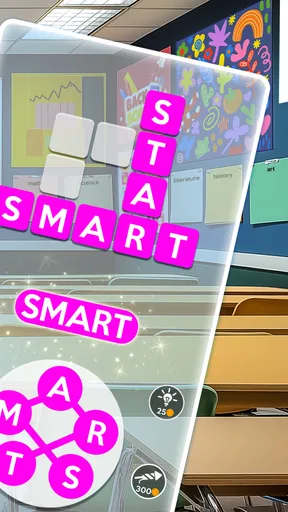
Play Seedcrown


Our Review of Wordscapes: Word puzzle game
 Analysis by Appyee
I often reach for a word game when I have a few spare minutes but don’t want to start something that demands my full attention. That’s where Wordscapes fits for me: it pairs familiar letter-building puzzles with changing landscape backdrops, so a quick session feels calmer than a timed quiz. It is a free word game from PeopleFun, and its basic appeal is easy to understand within a few rounds.
What you get without paying
The game is free to download, with in-app purchases listed from $0.99 to $99.99 per item. That makes the starting cost straightforward, but it is worth separating free access from paid value: you can try the core puzzle experience without buying anything, while purchases are optional spending rather than a requirement I’d recommend making before you know whether the format suits you. I would begin with the free play and decide later if any purchase feels worthwhile to you.
Wordscapes has a 4.5 average from around 1.4 million ratings, and it has been installed over 100 million times. Those figures suggest broad appeal, but they do not tell you whether its particular rhythm will click. I’d put more weight on whether you enjoy searching a letter set for words and filling a crossword-shaped board than on popularity alone.
How the puzzles fit into a day
Have you ever found yourself lost in a sea of words, looking for the perfect way to pass some time? Well, let me introduce you to Wordscapes, an app that's got me hooked with its delightful blend of word puzzles and beautiful landscapes. I decided to give it a whirl, and trust me, it’s been quite the adventure.
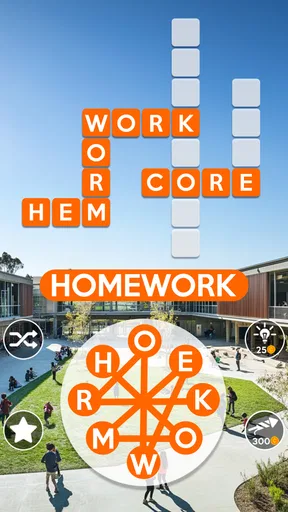
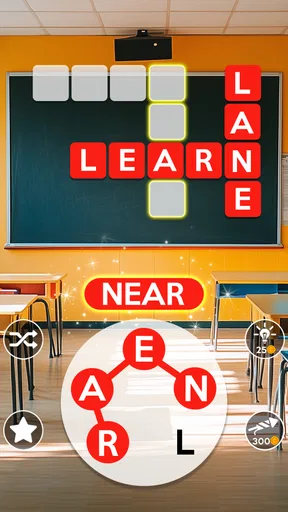
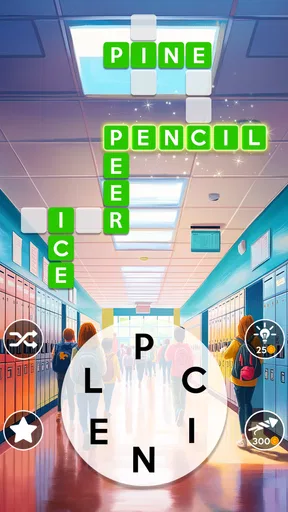
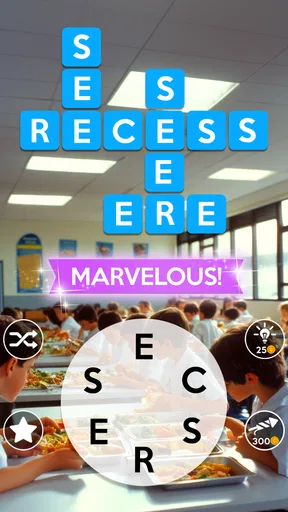
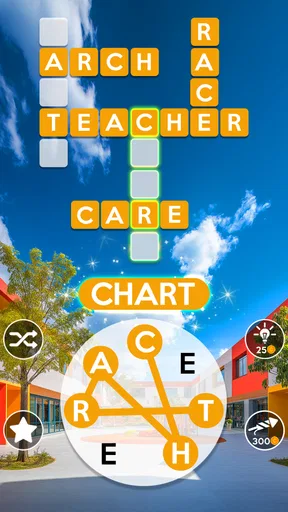
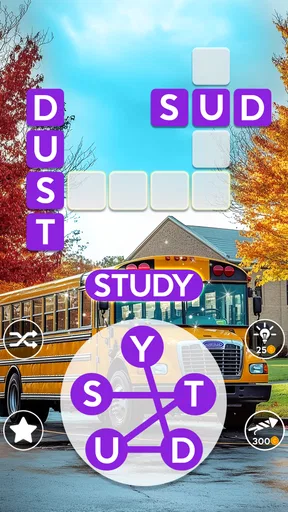
So, what’s the deal with Wordscapes? At its core, it’s a word puzzle game that tests your vocabulary while taking you on a visual journey through stunning landscapes. You’re presented with a circle of letters, and your mission, should you choose to accept it, is to swipe and form words that fit into the crossword-style grid.
The thing that really pulled me in is how deceptively simple it seems at first. You start off breezing through the initial levels, feeling like a word wizard. But don’t be fooled! As you progress, the puzzles get trickier, and that’s where the real fun begins. You’ll find yourself scratching your head, thinking, "How did I not see that word?"
A useful little routine for stuck moments
One practical way I’d use this format is as a short reset between tasks: play a board while waiting for a kettle to boil, during a quiet commute, or in the few minutes before an appointment. The letter circle gives you a clear, contained problem to work on, and the crossword grid makes progress visible. I’d avoid opening it when I need to be somewhere immediately, though; an almost-solved board can make “one more try” tempting.
When a word won’t come, I find it helps to stop swiping randomly and inspect the board instead. Look at the empty spaces and ask what word length or letter pattern could fit, then return to the available letters with that clue in mind. This turns a vague vocabulary search into a more deliberate process. If you are playing to relax, it is also perfectly reasonable to leave a stubborn puzzle and come back later rather than turning a gentle game into a test.
There is a trade-off in the simple input. Swiping letters is easy to learn and keeps the focus on word recognition, but it can feel repetitive if you want varied actions or a story to follow. The game’s challenge comes from finding combinations and spotting what you missed, not from mastering complicated controls. That makes it approachable for casual play, while players who need constant novelty may prefer a word game with more varied modes.
Visuals and Aesthetics
One of the standout features of this app is its gorgeous visuals. Each level is set against a backdrop of breathtaking photos. Whether it’s a serene beach at sunset or a misty forest, the landscapes are almost therapeutic. It's like a mini-vacation for your eyes, and let's be honest, who doesn’t need that?
The design is clean and intuitive, making it easy for anyone to jump right in. The colors are vibrant, and the animations are smooth. It’s clear that a lot of thought went into making sure the app is as pleasing to look at as it is to play.
How it compares with other word games
Compared with a crossword, Wordscapes gives you a bank of letters to work from rather than asking you to solve every clue from scratch. That can make it a gentler choice when you want a word-focused activity without the knowledge-heavy clues found in many traditional crosswords. On the other hand, if you enjoy definitions, trivia, or solving a themed puzzle, a crossword is likely to give you more of that.
It also differs from word-search games, where you scan a grid for words that are already laid out. Here, you have to build words from the circle and work out where they belong in the board. I like that extra step because it gives each solved word a small “aha” moment. But people who prefer quick visual scanning over spelling and letter rearrangement may find a word search more immediately satisfying.
For a more competitive or social experience, I would look elsewhere unless the particular features in Wordscapes appeal to you. Its central pleasure is the individual puzzle-solving loop, not a long narrative or elaborate strategic system. The game is rated Everyone, which makes it broadly accessible by age rating, though younger players still need to be comfortable with spelling and word recognition to enjoy the puzzles.
Why It’s Worth a Try
If you're anything like me, you’ll appreciate the brain workout Wordscapes offers. It’s perfect for those moments when you need a break but still want to feel productive. Plus, there’s a certain satisfaction in finally cracking a tough level after being stuck for a while.
The game is free to download, with in-app purchases available. But honestly, you can enjoy a ton of content without spending a dime. And if you're a competitive soul, there are daily challenges and tournaments to keep you on your toes.
Who is likely to get the most from it?
I’d recommend it to people who enjoy anagrams, crossword-style boards, and low-pressure sessions they can pick up for a few minutes. It can also suit someone rebuilding a regular reading or puzzle habit: a single board gives you a small, concrete goal, rather than a large commitment. If you often play while waiting, the clear start-and-finish structure makes it easier to fit into an ordinary day.
I would skip it if you dislike word games that depend on spelling, or if you want a puzzle with a strong narrative, complicated mechanics, or a constant stream of different activities. It may also frustrate you if you expect every letter combination you can make to be accepted as a solution; the aim is to fill the board, so a word you know can still feel beside the point when it does not help complete the grid.
People sometimes wonder whether they need to pay to enjoy the game. My advice is to start free and only consider an in-app purchase if you have already spent enough time with it to know what you want from one. The listed purchase range is broad, so I would check the specific item and its cost carefully before confirming anything. Free access is enough to judge whether the basic puzzle loop is for you.
Details that matter before installing
The game was released on June 14, 2017, and its current version is 3.7.1. It requires Android 7.0 or later. Those details are useful if you are checking compatibility on an older Android device; if your device does not meet that minimum, you should not assume the game will install or run as expected. PeopleFun is the developer behind it.
Another useful expectation is that the landscapes and puzzle-solving serve different purposes. The scenery contributes to the relaxed mood, but it does not replace the word challenge. If you mostly want visual variety and little mental effort, the boards may still ask more of you than you want in a downtime app. If you want a focused spelling puzzle with a calmer presentation, the balance is more appealing.
A Few Final Thoughts
At the end of the day, Wordscapes is an app that manages to combine relaxation and challenge in one neat package. It’s a great way to unwind, and who knows, you might even learn a few new words along the way!
So, if you’re ready to embark on this wordy journey, why not give it a try? You might just find yourself as hooked as I am. Happy word hunting!
My verdict is to try it if you want an easy-to-understand word puzzle that can fill short breaks and does not ask for an upfront purchase. I would not choose it as a substitute for every kind of word game: crosswords offer clue-led solving, word searches lean on visual scanning, and story-driven puzzle games provide a different kind of progression. But if forming words from a circle of letters and fitting them into a grid sounds satisfying, this is a sensible free starting point. Keep purchases optional, use the puzzles as a brief pause rather than an obligation, and you’ll have a fair sense of whether its particular pace is right for you.
Privacy and Permissions
See what permissions an app requests and how it handles your data.
- Wi-Fi connection information
- view Wi-Fi connections
- Other
- view network connections, full network access, control vibration, prevent device from sleeping, Google Play license check
Verdict
Strengths of Wordscapes: Word puzzle game
- Challenging puzzles enhance vocabulary.
- Beautiful backgrounds enhance user experience.
- Daily puzzles keep engagement high.
- Offline mode available for on-the-go play.
- Simple interface suitable for all ages.
Limitations of Wordscapes: Word puzzle game
- In-app purchases can be pricey.
- Limited hints without purchase.
- Ads can interrupt gameplay.
- No multiplayer or social features.
- Some puzzles may feel repetitive.
Other Releases by PeopleFun
View All


Similar Picks in This Category
View All
Word Search - Word Puzzle Game
Bluetile4.8

Word Search Quest - Puzzles
Blackout Lab4.8

CodyCross: Crossword Puzzles
Fanatee, Inc.4.7

Words of Wonders: Crossword
Fugo Games4.9

Word Search Explorer
PlaySimple Games4.9

Hangman
Senior Games4.6
You May Also Like
View All


Frequently Asked Questions
What is Wordscapes and how does it work?
Wordscapes is a popular word puzzle game that combines elements of crosswords and word searches. Players are given a set of letters and must create words to fill in the crossword-style puzzle. The game starts easy but becomes more challenging as you advance through the levels, making it both entertaining and educational.
Is Wordscapes free to download and play?
Yes, Wordscapes is free to download on both Android and iOS devices. However, it offers in-app purchases for hints and other features that can enhance the gameplay experience. While these purchases are optional, they can be helpful if you find yourself stuck on a tricky level.
Does Wordscapes require an internet connection to play?
Wordscapes can be played offline after the initial download, which requires an internet connection. This makes it a great option for playing on the go, as you won't need to worry about finding Wi-Fi or using mobile data once the game is installed on your device.
Are there any age restrictions for playing Wordscapes?
Wordscapes is suitable for players of all ages, making it a family-friendly game. It can help improve vocabulary and cognitive skills, particularly in young players. However, parents should be aware of in-app purchases and may want to disable them to avoid accidental purchases by children.
How many levels are there in Wordscapes, and do they get more difficult?
Wordscapes features over 6,000 levels, with new ones added regularly. The difficulty increases as players progress, offering a mix of easy and challenging puzzles. This progression keeps the game engaging and ensures that players of all skill levels can enjoy and benefit from it.
Play our best games!


